
7 Plant Cell 3D Models for Classrooms and Web in 2026
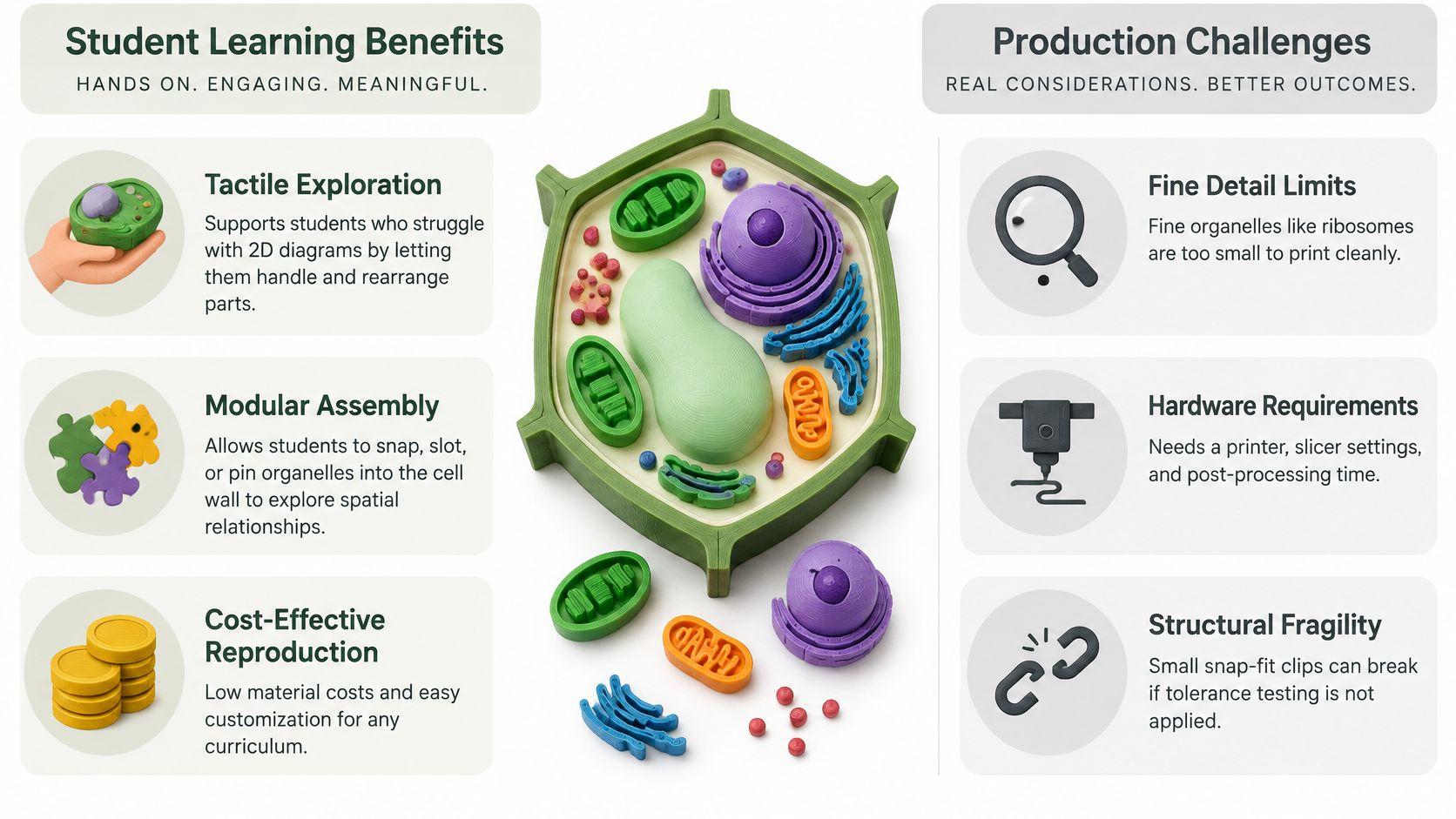
A Year 9 class is staring at a textbook diagram. The central vacuole looks like a white oval on a green rectangle, and nobody can say whether it presses the cell wall or floats in the middle. Chloroplasts sit in a neat ring, so students treat that ring as a rule rather than a snapshot. Flat drawings hide depth. A plant cell 3D model lets a learner turn the wall, see the vacuole crowding the cytoplasm, and notice why chloroplasts often sit near the edge where light arrives.
The right format depends on the job. A tactile object suits a lab bench. A browser viewer suits remote learners. A game asset needs a triangle budget. A presentation clip needs a slow spin and readable labels. This list covers seven builds: a printed cross-section, a hand-built kit, an interactive web model, a stylized game asset, a text-to-3D draft, a photo reconstruction of a physical model, and a 360-degree turntable. Each one names where it breaks and the checks to run before students see it. Start from a trusted plant cell anatomy illustration, then decide what the model may simplify. Misconceptions stick when learners treat textbook pictures as universal, and some students still read cells as flat rather than three-dimensional objects, so one polished asset is a weak default, as a curriculum study on cell depictions makes clear.
Table of Contents
- 1. 3D Printed Plant Cell Cross-Section Model with Removable Organelles
- 2. Hand-Built Plant Cell Model Kit
- 3. Interactive Web-Based Plant Cell 3D Model
- 4. Game-Ready Stylized Plant Cell
- 5. AI-Generated Plant Cell from Text Prompt
- 6. Multi-View Photo Reconstruction of a Physical Plant Cell Model
- 7. 360-Degree Animated Plant Cell for Presentations
- How the seven plant cell 3D formats compare for learning, delivery, and build effort
- Choose One Format, Verify the Biology, and Build Outward
1. 3D Printed Plant Cell Cross-Section Model with Removable Organelles
A printed cross-section is the format I pick when students need to hold the wall and pull organelles out. Print the cell wall and the cytoplasm base as separate parts so the interior stays visible. Slot or pin the central vacuole, chloroplasts, nucleus, mitochondria, and a simplified endoplasmic reticulum into that shell. A middle-school lab can reassemble the set in one lesson. A makerspace can run the same file for a science-fair booth or a small district order.
Small organelles are where this build fails. A mitochondrion that looks correct on screen becomes a blob once the nozzle and layer height eat the detail. Scale any part students must name to at least 3 to 5 mm wide. Use a contrasting filament for chloroplasts and a pale one for the vacuole. Pins need higher infill than the shell, or they snap on the first pass around the room.
Checks before you print the class set
- Watertight mesh: Repair holes before slicing, or the wall will have gaps you only notice after an hour of print time.
- Snap tolerance: Test one pin and one slot first. About 0.2 mm of clearance is a sensible starting gap on a typical FDM printer.
- Label bases: Cut a flat pad under each name so the text isn't printed on a curve.
- Biology check: Count organelles against your diagram, and mark the model as a teaching cutaway, not a true scale cell.
If you're coming from software rather than the print lab, the same habit of testing one risky part before the full set shows up in prototyping approaches for software developers. Model the shell with print constraints in mind, using a guide to modeling for 3D printing, then export STL or 3MF for the slicer.
2. Hand-Built Plant Cell Model Kit
A molded kit wins on durability, not on surprise. Plastic or foam pieces for the wall, membrane, nucleus, chloroplasts, and vacuole survive a term in a trolley. Lower-secondary classes use them because assembly is the lesson. Students place parts, argue about position, and you can reset the tray for the next group.
Say you're introducing structure on a Tuesday double. Before anyone opens the bag, ask where the vacuole sits and which side of the cell the chloroplasts favor. Write the predictions on the board. Then build. The mismatch between the guess and the kit is the teaching moment, and it costs nothing.
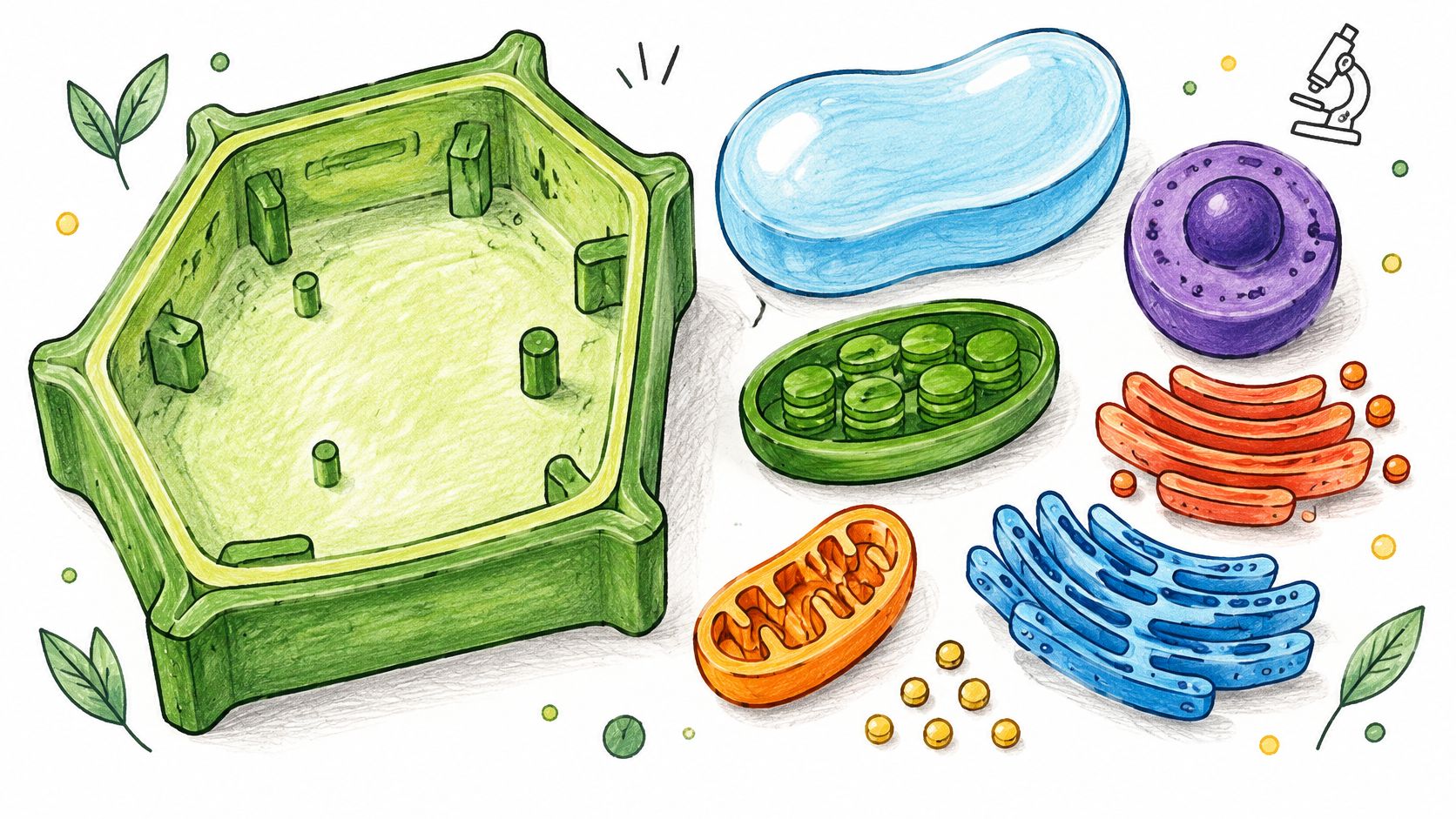
Kits break in three boring ways. Scale is decorative, so a chloroplast can look as large as the nucleus. Labels peel off and vanish into the cupboard. One "correct" plant cell hides the difference between a leaf mesophyll cell, a guard cell, a root cell, and a meristematic cell.
Practical rule: Put the kit next to a digital model in the same lesson and ask which features are fixed for teaching and which would change by cell type.
Store spare labels in a zip bag taped to the box lid. If a piece is missing, don't invent a substitute organelle from a bead. Leave the gap and name it. A hole teaches more than a wrong part.
3. Interactive Web-Based Plant Cell 3D Model
A browser model is the right call for a remote class, a museum page, or a phone revision session. Publish GLB or glTF, let students orbit and zoom, and make each organelle a separate mesh so a click can show a short label. One mesh for the whole cell looks smoother in a thumbnail and then fails the moment you want to hide the vacuole.
Keep the triangle count moderate. A heavy sculpt that looks rich on a workstation stutters on a school Chromebook, and students stop exploring. Compress textures, but don't crush the type on labels until the letters turn to mush. Test on a mid-range phone over school Wi-Fi, not only on your own laptop.
A single web asset also lies if you present it as every plant cell. Atlas work on Populus canadensis and Populus simonii measured 80 cell-feature descriptors, including volume, 3D surface area, equivalent diameter, perimeter, and area fraction, and found species-level differences in multiple cell populations, according to a centimeter-scale plant-tissue reconstruction study. Your viewer can still use one teaching cell. The caption should say which features are simplified, which are roughly to scale, and which are only illustrative.
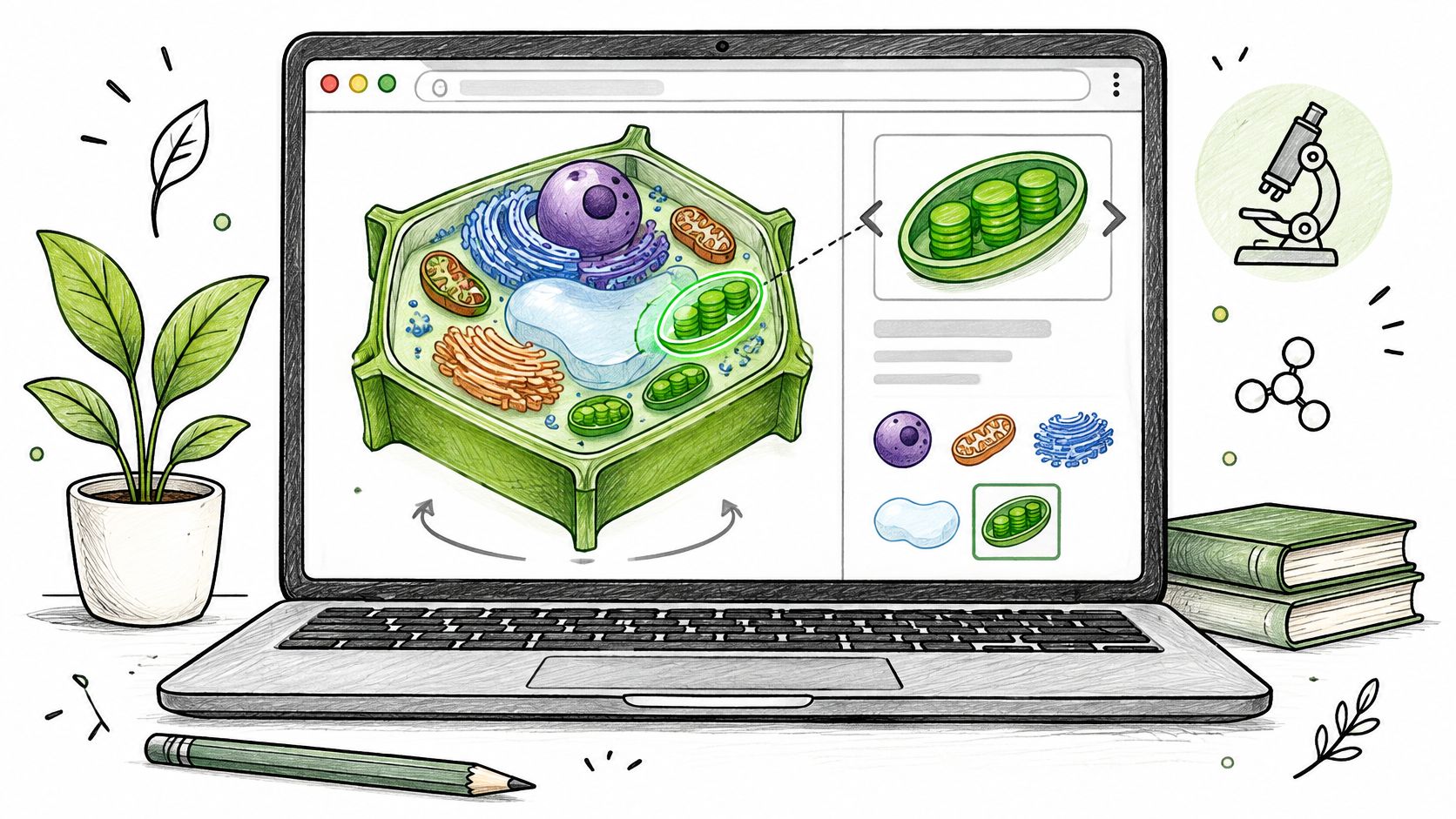
Embed the viewer beside three sentences of function, not a wall of glossary text. If a label doesn't stay readable at the default zoom, it isn't ready.
4. Game-Ready Stylized Plant Cell
A game-ready cell is a play space, not a poster. You're building for Unity or Unreal, with clean topology, named objects, and materials that won't blow the frame budget when a class of thirty opens the build.
Set the budget before you model. For one stylized cell I stay under 20,000 triangles. That's enough for a readable wall, a large vacuole, and a handful of chloroplasts, and it's low enough that a simple navigation level still runs. Separate each organelle into its own object so collision and interaction scripts stay obvious. Pack textures into an atlas so you aren't paying a draw call per chloroplast.
Where stylized assets go wrong
- Cute shapes, wrong biology: A heart-shaped nucleus reads as a toy and teaches the wrong outline. Keep silhouettes honest even when the shader is simple.
- Unreadable names:
Mesh_014will waste an evening in the engine. Name objectschloroplast_01,vacuole,cell_wall. - Scale that breaks gameplay: If the player is meant to walk the cytoplasm, exaggerate corridors on purpose and say so in the level text.
A serious game for a school unit might ask players to restore chloroplasts after a shading puzzle, or to find why the vacuole has collapsed. The art can be stylized. The checklist can't. Count the organelles, confirm the wall is outside the membrane, and make sure a player can still tell mitochondria from chloroplasts at gameplay distance.
5. AI-Generated Plant Cell from Text Prompt
Text-to-3D is a fast draft, not a reference. A prompt such as "rigid cellulose cell wall, large central vacuole pressing the membrane, chloroplasts near the periphery, nucleus offset, no animal-cell centrioles" gets you a mesh in minutes. Educators use that mesh for a slide concept. Designers use it as a prop before a proper sculpt. I treat every generated plant cell 3D result as guilty until it survives a diagram check.
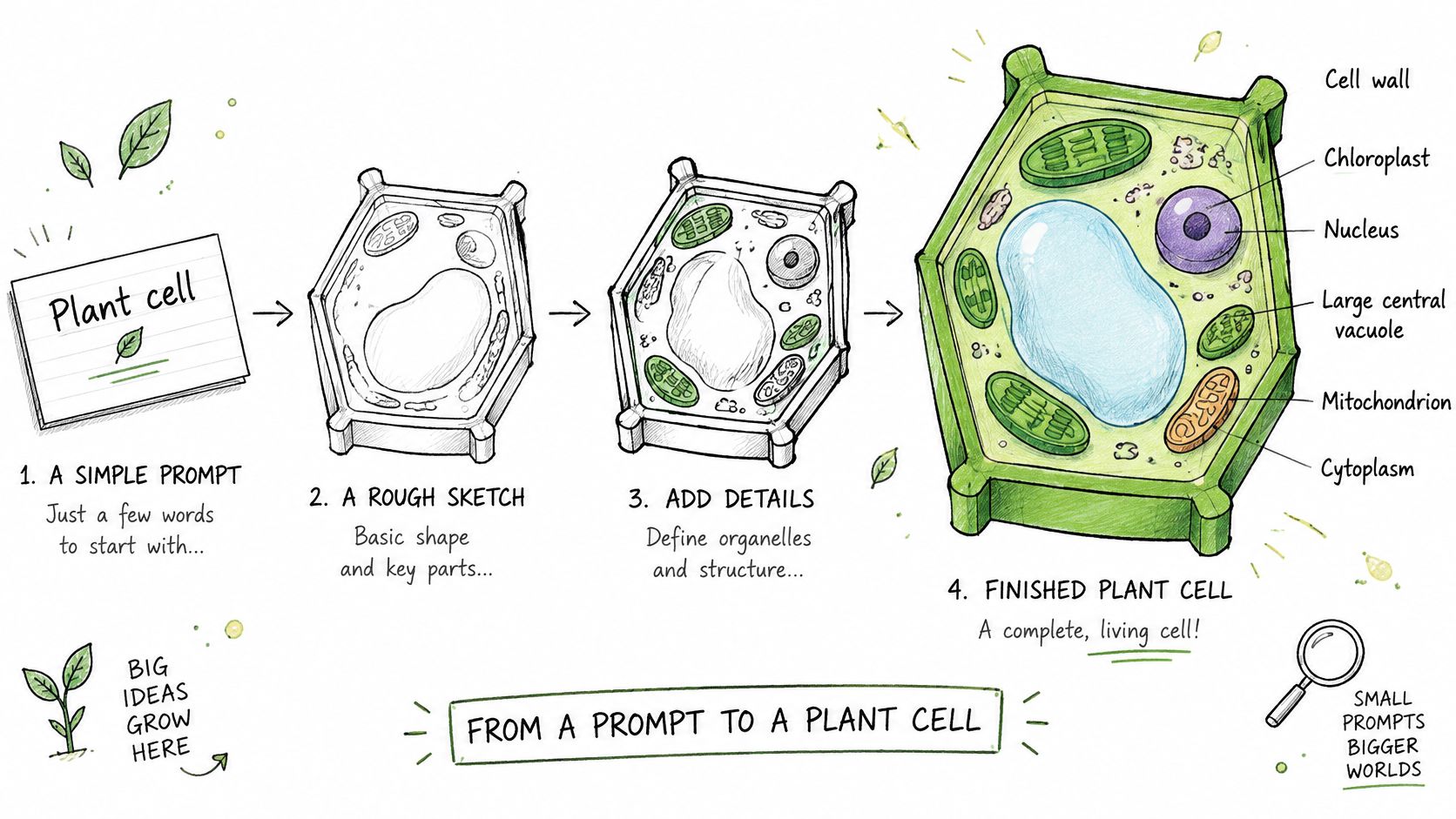
Generate three or four variants and throw out the ones that fuse the nucleus into the vacuole or sprinkle random blobs labeled as "organelles" in the prompt but not in the mesh. Then remesh. Raw generations often have lumpy surfaces, non-manifold edges, and no part separation, which blocks both printing and clickable web parts.
Write the location into the prompt, not only the organelle name. "Chloroplasts clustered against the cell wall" beats "plant cell with chloroplasts."
Compare the winner with the same textbook diagram you trust for the printed model. Fix wall thickness, vacuole dominance, and chloroplast color before you texture. If the engine offers several generators, run the same prompt on a second one when the first mesh won't separate into parts. In a studio like Sculpty you can switch engines, apply PBR color, and remesh without leaving the browser. Don't ship the first pretty render.
6. Multi-View Photo Reconstruction of a Physical Plant Cell Model
Photo reconstruction is how you keep a legacy classroom model when the original files are gone. A department can digitize a worn cross-section for a shared drive. A museum education team can archive a display before it chips. Several angles beat one photo because the solver sees the sides the single shot hides. Fine pins, thin membranes, and engraved labels still need a manual pass.
Shoot in diffuse light. Glossy plastic throws hotspots that the software reads as geometry. Walk the camera every 15 to 20 degrees, and repeat the ring from a higher angle so the top of the vacuole isn't a hole. A turntable keeps the object still while you move. Include a ruler or a known base width in a couple of frames, then scale the mesh to that measurement. An unscaled scan looks fine and prints at the wrong size.
What to reject in the mesh
- Floaters and melted labels: Delete stray islands and redraw type that fused into the wall.
- Missing undercuts: Slots under organelles often vanish. Rebuild them if students must reassemble a print of the scan.
- False smoothness: Don't retopo away the seam that shows this was a teaching model with a cut face.
A multi-view 3D reconstruction workflow is the practical path from that photo set to a watertight mesh you can view, share, or print again. Check organelle count on the scan against the physical model before you archive it. A pretty mesh of the wrong object is still the wrong object.
7. 360-Degree Animated Plant Cell for Presentations
A turntable is for the moment students can't touch the model. Use it in a lecture slide, a course video, or a short social clip when a slow orbit shows the vacuole, the wall, and the chloroplast cluster better than a still. Export video or an image sequence. A transparent background lets the cell sit over your slide instead of inside a gray box.
Light it like a product, not like a game cinematic. One key light and a soft fill are enough to separate the pale vacuole from green chloroplasts. If the spin is fast, labels blur and the clip teaches nothing. Keep the rotation slow enough that a student can read a nucleus label on one pass. That's usually a full turn in well over ten seconds for a classroom slide, faster only if there are no labels.
If the cell will sit on a slide, export with a transparent background and check the edges against both a white and a dark theme.
Don't orbit a mesh you haven't checked. Wrong placement becomes memorable once it moves. Run the same list you used for the print: organelle count, relative size, placement against the diagram, label legibility at the size the slide will use. A 360-degree turntable export can come from the same verified asset as the web viewer, so you aren't remodeling for every format. If labels fail at 1080p, enlarge them or drop them and narrate instead.
How the seven plant cell 3D formats compare for learning, delivery, and build effort
| Item | Best For | Typical Format | Main Limitation | Setup Effort |
|---|---|---|---|---|
| 3D Printed Plant Cell Cross-Section Model with Removable Organelles | Hands-on study of organelles and their spatial relationships | Color-coded, modular PLA parts; printed cross-section | Fine details may print poorly; snap-fit parts can break | High: requires a 3D printer, slicer setup, and post-processing |
| Hand-Built Plant Cell Model Kit | Reusable classroom assembly and group activities | Pre-molded plastic or foam pieces with labels | Fixed manufacturer layout and limited flexibility | Low: ready to use without digital tools |
| Interactive Web-Based Plant Cell 3D Model | Online lessons and self-study across devices | Browser-based GLB or glTF model with clickable organelles | Less tactile; hosted versions need internet access | Moderate: prepare and publish a web-compatible model |
| Game-Ready Stylized Plant Cell | Educational games and interactive apps | Optimized low-poly asset with named meshes and PBR materials | Simplified biology; requires game development skills | High: requires optimization and engine integration |
| AI-Generated Plant Cell from Text Prompt | Quickly drafting or brainstorming cell models | Prompt-generated mesh for further editing | Biology may be inaccurate; mesh often needs cleanup | Low to moderate: prompt generation is quick, but refinement may be needed |
| Multi-View Photo Reconstruction of a Physical Plant Cell Model | Digitizing and preserving existing physical models | Photogrammetry mesh from overlapping photos | Small details may distort; reflective surfaces can cause errors | Moderate: requires careful photography and mesh correction |
| 360-Degree Animated Plant Cell for Presentations | Lectures, videos, and slide decks | Rendered rotating video or image sequence | Viewers cannot interact or choose an angle | Moderate: requires model setup and rendering |
Choose One Format, Verify the Biology, and Build Outward
Pick the audience before you pick the file type. A bench class needs the printed cross-section or the kit. A remote group needs the browser model. A game needs the triangle budget. A lecture needs the slow turntable. Photo reconstruction is for a model you already own. Text-to-3D is for a draft you expect to correct. Choosing two formats on day one usually means neither gets checked.
I use one accuracy list, and I don't publish until it passes.
- Organelle count: Wall, membrane, nucleus, large central vacuole, chloroplasts, mitochondria, and only the extra organelles your course teaches.
- Relative size: The vacuole dominates. Chloroplasts aren't tiny dots, and they aren't the size of the nucleus.
- Placement: Match a trusted diagram for this cell type, and say if the asset is mesophyll, root, guard, or meristem.
- Labels: Readable at the viewing size, on the print, the phone, and the slide.
Build the accurate base once. Split it into printable parts, a lighter web mesh, a game-ready retopo, and a turntable from that same checked model. A first pretty generation that skips the list will multiply the error into every export. Assessment can stay simple. A short quiz after students handle or orbit the model works better than another unlabeled poster, and Teacher Planner's science assessment strategies are a practical way to write those checks as questions. The model is done when a student can point to the vacuole against the wall and explain the chloroplasts at the edge without you tracing the diagram for them.
Sculpty is a browser studio for drafting a plant cell from a text prompt or photos, then remeshing, texturing, and exporting STL, GLB, or a transparent 360° turntable from one credit system. Use it to separate organelles, fix a generated mesh, and keep a private gallery of the checked classroom asset. Open Sculpty and build the accurate base before you print, embed, or animate it.