
10 Software Shoes Design Tools for Better Products
Your shoe concept looks convincing on screen, but the pattern engineer needs panel boundaries, the sole developer needs editable geometry, and the factory wants files it can use. The render doesn't answer those requests. You're choosing software, but the decision is how design information will move from sketch to factory-ready footwear.
A convincing concept isn't the same as a manufacturable shoe. Geometry must relate to a last, material choices need more than attractive textures, and upper panels must eventually become validated patterns. Research on advanced footwear CAD workflows connects scanning, last definition, parametric design, component development, pattern extraction, and production. That connected process is the useful benchmark, not the quality of a promotional render.
Choose the application for the deliverable you're responsible for, then test what the next person receives.
For software shoes design, the practical answer is a toolchain rather than a universal winner. The tools below are grouped by their main responsibilities: footwear-specific development and manufacturing, precision modeling and engineering, visualization, then lightweight ideation and fashion presentation. The broader question of how Sprello scales design workflows is relevant here too: adding applications only helps when the handoffs remain manageable.
Table of Contents
- 1. Shoemaster
- 2. Romans CAD
- 3. Delcam Crispin
- 4. Rhino 3D
- 5. Autodesk Fusion
- 6. Autodesk Alias
- 7. Blender
- 8. Autodesk 3ds Max
- 9. Adobe Illustrator
- 10. CLO
- Top 10 Shoe Design Software: Feature Comparison
- Build a Toolchain That Scales with the Design
1. Shoemaster
Primary stage: footwear development and manufacturing handoff. Shoemaster is a footwear-specific CAD/CAM suite with modules spanning virtual design, technical engineering, pattern work, custom footwear, and production costs. Its appeal is the connection between design decisions and development tasks, rather than modeling freedom alone.
Consider it when your deliverable extends beyond a presentation model. A designer developing an upper needs to understand how style lines become construction information, while a technical team needs control over the files that continue toward production. Shoemaster belongs on that shortlist because footwear development is its organizing purpose.
Evaluate the engineering handoff
Ask for a demonstration using your own last and a representative upper, not just a prepared vendor example. Follow a style revision through the relevant modules and inspect what the pattern engineer receives.
- Strong fit: Teams responsible for both design and technical development.
- Main trade-off: A specialist suite may be unnecessary for concept-only work.
- Buying question: Confirm licensing, included modules, integrations, training, and support through a sales inquiry.
The distinction between a visual asset and an engineering asset also matters in broader product 3D modeling. For footwear, don't stop the evaluation when the shoe looks right. Check whether the next operator can revise construction details without reconstructing the designer's intent.
2. Romans CAD
A late change to the toe shape can affect more than the silhouette. Your team needs to know which last, pattern, and product record belong to the revised design. Romans CAD is worth evaluating when that coordination is part of the problem.
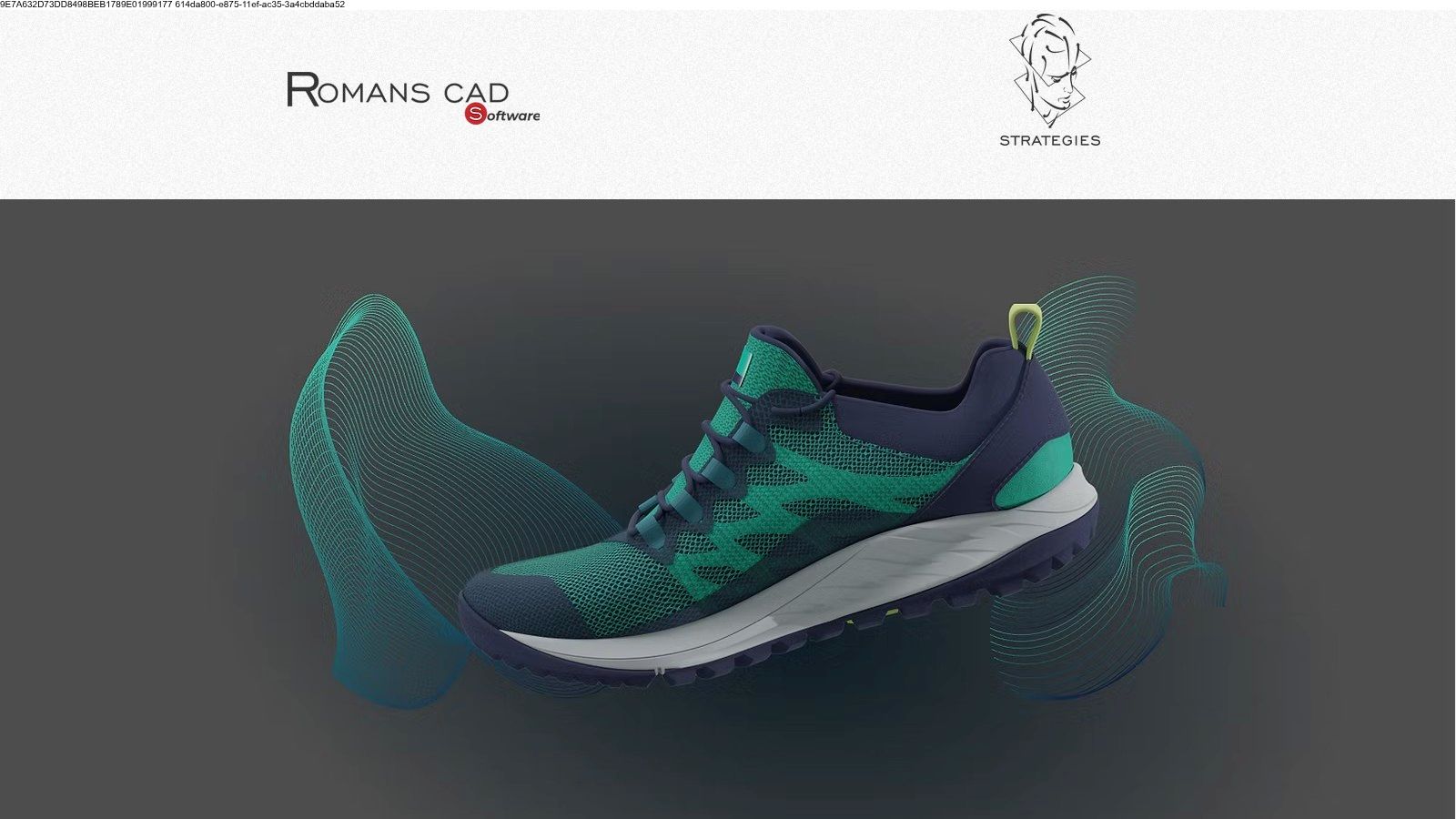
Romans CAD combines footwear design capabilities with digital-last tools, pattern creation and grading, and product-development data management. Its modules address designing on a last, developing technical information, and sharing product information through cloud and PDM capabilities.
Keep the last and product record connected
The practical attraction is continuity between visual development and technical work. Instead of judging only the design interface, ask how the system identifies revisions and communicates changes between designers and pattern engineers.
A useful demonstration starts with an existing design, changes its last or panel layout, and follows the resulting information downstream. Inspect which relationships remain editable and which require a manual update.
- Best use: Coordinated footwear development involving design, lasts, patterns, and shared product information.
- Technical boundary: This is a footwear-oriented platform, not a general-purpose modeling environment.
- Purchase consideration: Request module-specific pricing and clarify which collaboration capabilities are included.
An individual designer may not need the full platform. A development team should weigh the additional setup against its need for controlled product information, especially when several people contribute to the same shoe.
3. Delcam Crispin
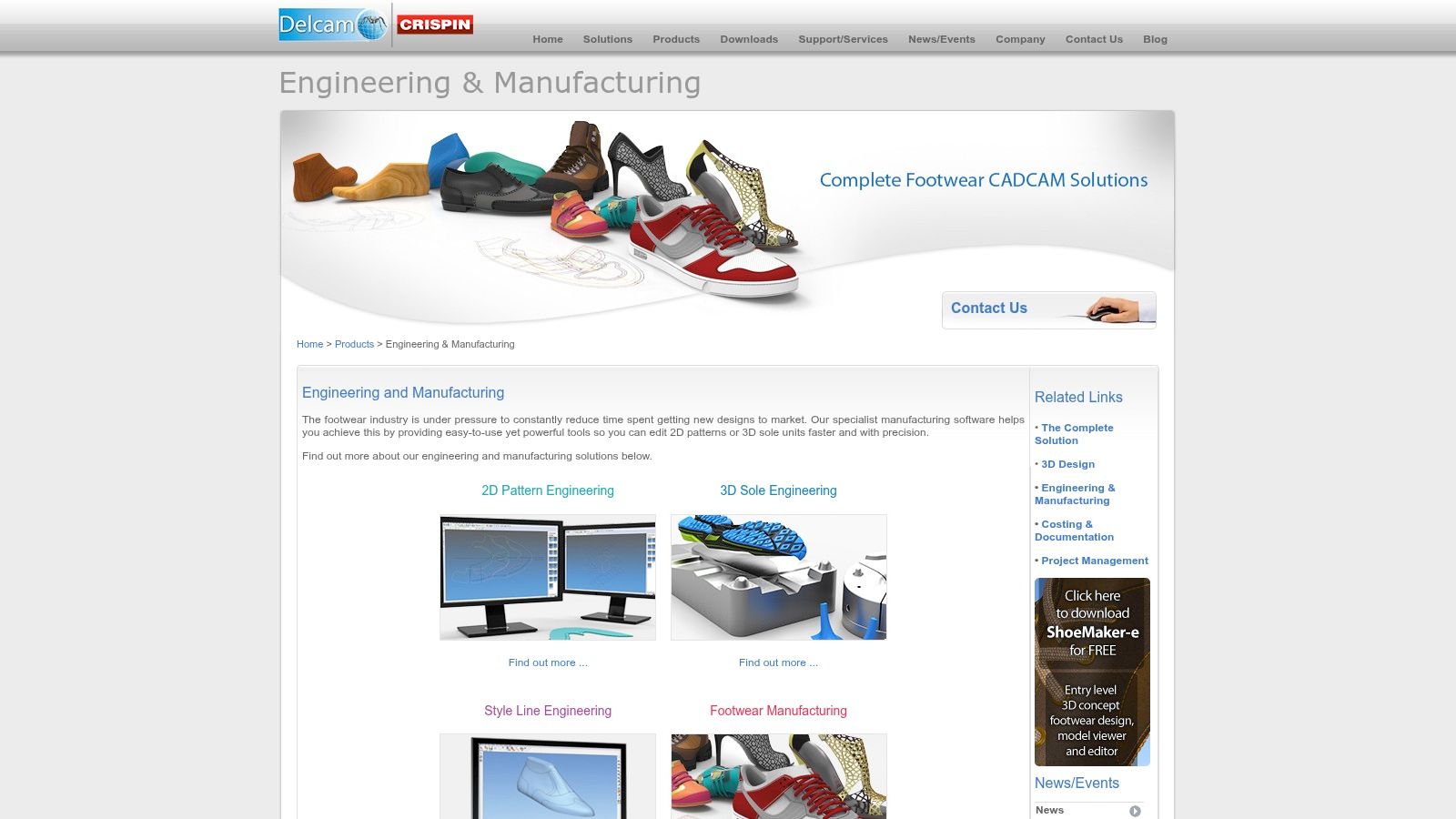
Primary stage: specialist footwear engineering. The Delcam Crispin product family describes separate tools for concept design, digital lasts, sole engineering, pattern engineering, costing, and technical documentation. ShoeMaker and LastMaker illustrate that division between designing the shoe and controlling its underlying form.
That specialization is useful when the bottleneck is technical rather than visual. A sole developer and a pattern engineer don't need identical editing environments, even though their work must agree at the upper-to-sole interface.
Before considering a purchase, establish the current commercial situation. Confirm availability, supported versions, module packaging, licensing, and support arrangements with the vendor or an authorized provider rather than assuming an older product description represents a current offer.
Make the demonstration specific
Bring a last, a sole reference, and an example of the technical output your supplier requests. Ask the provider to demonstrate the relevant workflow and identify any separate modules required.
Procurement rule: A named capability isn't enough. Confirm that the supported product you can buy produces the output your supplier can use.
The strongest reason to investigate Crispin is its footwear-specific engineering scope. The weakest reason is recognizing the name from an older workflow. If your work ends at concept approval or presentation imagery, this level of specialization may add unnecessary complexity.
4. Rhino 3D
A sole can look smooth in a render while remaining awkward to revise as geometry. Rhino is a candidate when curve and surface control matter more than a footwear-specific interface.
Rhino 3D is a general-purpose NURBS modeler for precise, editable forms. In a footwear toolchain, consider it for components such as soles, heels, and insoles, or for developing surfaces that need deliberate control over profiles and transitions.
Precision without a complete footwear pipeline
Rhino's flexibility is both its advantage and its limitation. You can organize geometry around your own design logic, but the base application shouldn't be treated as a complete pattern-engineering or grading system.
- What works: Developing component forms from controlled curves and editable surfaces.
- What needs scrutiny: Any plugin-dependent footwear workflow, including its outputs and support.
- What remains separate: Construction-aware upper patterns, size grading, and supplier-specific production requirements.
For a practical evaluation, revise the sole edge while preserving the intended interface with the upper. Then export the component and inspect it in the receiving application. A successful save isn't proof of a successful handoff.
The broader process of 3D modeling shoes benefits from separating appearance development from technical control. Rhino can serve the precision-modeling role without needing to become the only application in the studio.
5. Autodesk Fusion
Use Fusion for component development, not as a substitute for footwear pattern engineering. Autodesk Fusion combines product modeling and engineering-oriented tools, with workflows involving scanned references, meshes, and printed prototypes.
That makes it relevant when you're developing a heel, sole component, or another part whose dimensions need deliberate revision. The evaluation question isn't whether Fusion can represent a shoe. It's whether the component remains understandable and editable after the design changes.
Evaluate the revision, not just the prototype
For a trial project, bring in representative reference geometry and build the component you need. Change its thickness, interface, or overall proportions, then inspect whether your modeling approach supports that revision cleanly.
Research on footwear applications of additive manufacturing supports treating printing as part of design and development. That doesn't make a printable component a validated shoe, and it doesn't remove the need to assess construction and fit.
Fusion is less compelling when your main task is freeform visual exploration or polished campaign imagery. Specialist footwear software is still needed for construction-aware patterns and grading.
Licensing also needs attention: check current commercial terms and any eligibility restrictions on personal-use access. As with evaluating free car design software, choose according to the work you must deliver, not the appeal of an entry-level license.
6. Autodesk Alias

Surface refinement is a different responsibility from pattern development. If your team is deciding how a sculpted sole transitions between volumes, the relevant comparison is between surfacing workflows, not between render presets.
Autodesk Alias provides industrial-design tools for concept modeling, advanced surfacing, and visualization. It also supports work from scanned or mesh references, making it a candidate for refining a design direction into more controlled surfaces.
Primary stage: refined form development. Alias makes sense to evaluate when surface quality itself is a deliverable, particularly within an industrial-design team already using related workflows.
Know where refinement ends
A refined surface still needs a construction plan. Alias doesn't replace last development, footwear grading, pattern engineering, or the factory's technical approval process.
- Potential strength: Deliberate control over complex product surfaces and their transitions.
- Practical cost: Specialist surfacing skills and training need to be part of the buying decision.
- Handoff requirement: Agree on the surface or geometry deliverable before modeling begins.
Use a difficult junction from your own design during evaluation, such as the transition between a heel volume and the surrounding sole form. Assess how readily a designer can revise it without rebuilding unrelated areas.
Check current licensing with Autodesk. For a studio that mainly needs quick concepts, Alias may be an unnecessarily demanding route to a deliverable that doesn't require advanced surfacing.
7. Blender

Blender fits the visual-development side of the toolchain. Blender is a free, open-source application combining polygon modeling, sculpting, UV editing, materials, rendering, and scripting. Those capabilities make it useful for shoe concepts, presentation assets, and digital prototypes intended for visual review.
A concept artist can develop silhouette and proportion, then use materials and lighting to communicate a direction. A visualization specialist can work from approved geometry to prepare product imagery. Neither task should be confused with producing validated footwear patterns.
Separate review geometry from engineering geometry
Blender's modeling freedom allows you to prioritize appearance. That's appropriate for exploration, provided everyone knows which dimensions and construction details remain unresolved.
A convincing material render communicates appearance. It doesn't establish leather behavior, upper fit, or production readiness.
The main trade-off isn't polygon modeling versus CAD. It's the responsibility you take on when adapting a general-purpose application to footwear. You'll need to define your own component organization, reference-last discipline, revision process, and handoff checks.
Blender is a sensible starting point when the required output is a portfolio model or a visual concept. It's also a candidate for downstream rendering after engineering approval. Don't choose it expecting built-in footwear grading or production-pattern development, and don't assume a detailed mesh will remain straightforward to edit in a surface-based engineering system.
8. Autodesk 3ds Max
When the deliverable is a presentation rather than a pattern, animation and scene control become relevant selection criteria. A creative studio may need a modeled sneaker, a close-up material study, and an animated product reveal from the same asset.
Autodesk 3ds Max provides polygon modeling, modifier-based workflows, retopology tools, animation, and rendering through Arnold. Its role here is visualization and creative asset production, not footwear manufacturing engineering.
For a team already working in 3ds Max, keeping shoe presentation in the existing environment may be more practical than introducing another renderer. For a footwear designer starting from scratch, the decision depends on whether animation and detailed scene production are genuine requirements.
Protect the approved shape
Presentation work can involve geometry changes made solely to improve an image. Keep those changes distinguishable from the approved design.
- Preserve provenance: Identify the engineering source and revision used for the visualization.
- Separate presentation edits: Don't overwrite approved component geometry.
- Review proportions: Compare the finished asset with the source before distributing it.
Those are workflow recommendations, not automatic safeguards provided by the application. The studio still needs to enforce them.
Check current subscription terms before committing. If your only deliverable is a simple concept sheet, a full modeling and animation package may introduce more work than needed.
9. Adobe Illustrator
The earliest design decision doesn't always need a model. If you're comparing logo placement, panel graphics, or color blocking, a clear drawing may be the more proportionate deliverable.
Adobe Illustrator provides vector drawing, path editing, and color tools for shoe concepts, line drawings, branding, and presentation sheets. Primary stage: ideation and design communication. Its usefulness lies in making intent legible without requiring the team to resolve every surface first.
Draw the decision you need to make
For an early review, keep the silhouette consistent while varying the design feature under discussion. Label proposed materials and distinguish graphic decoration from intended construction lines.
A clean drawing can help a pattern engineer understand the idea, but it doesn't validate the pattern. Illustrator isn't a shoe modeler, a digital-last system, or a footwear grading environment.
- Good fit: Colorways, branding layouts, concept drawings, and annotated presentation artwork.
- Poor fit: Assessing toe-box volume, sole-to-upper alignment, or dimensional fit.
- Handoff priority: Supply clear views and annotations rather than expecting the receiver to infer hidden construction.
A technical-looking outline is still an illustration unless it has been developed and checked as a production pattern. That distinction should remain explicit in filenames and review notes.
Check Adobe's current subscription and trial terms. Buy it for drawing and communication, not because a polished sheet appears more engineering-ready than it is.
10. CLO
A shoe presented with the rest of a collection raises different questions from a shoe being prepared for tooling. The reviewer may need to judge styling, fabric appearance, and the relationship between footwear and apparel rather than construction geometry.
CLO is apparel-design software centered on garment and material simulation. It can support footwear-related presentation involving fabric-like materials or complete fashion looks, but it shouldn't be treated as dedicated footwear CAD.
Its relevance depends on what your team needs to evaluate. If the discussion concerns outfit styling or textile appearance, an apparel-centered environment may be useful. If the discussion concerns last geometry, outsole interfaces, or manufacturing patterns, choose tools built for those responsibilities.
Treat simulation as a defined task
Before adopting CLO for footwear work, specify the material question and identify which geometry must come from another application. A convincing appearance isn't enough to establish how an upper will behave during construction or wear.
- Useful role: Fashion presentation and fabric-oriented visual exploration.
- Technical limitation: It doesn't replace footwear lasts, sole engineering, or production-pattern tools.
- Buying consideration: Check current individual, student, academic, and enterprise terms against your intended use.
Avoid selecting CLO because footwear contains textile panels. The important question is whether its apparel-oriented workflow helps answer your specific design question. Keep any unresolved footwear engineering visible in the review, rather than allowing simulation quality to imply technical approval.
Top 10 Shoe Design Software: Feature Comparison
| Software | Core Capabilities | Best For | Standout / Trade-off | Price |
|---|---|---|---|---|
| Shoemaster | 2D/3D footwear CAD/CAM, patterns, production planning | 👥 Footwear teams linking design to manufacturing | 🏆 Purpose-built; broad footwear workflow | 💰 Quote by inquiry |
| Romans CAD | 3D shoe design, digital lasts, patterns, grading, PDM | 👥 Footwear product-development teams | ✨ Connects visual design with technical data; may be complex | 💰 Quote by inquiry |
| Delcam Crispin | Shoe concepts, lasts, patterns, sole engineering, costing | 👥 Production-oriented footwear developers | 🏆 Covers multiple engineering stages; confirm current support | 💰 Confirm with vendor |
| Rhino 3D | NURBS modeling for precise, editable geometry | 👥 Designers creating shoe concepts or components | ✨ Flexible modeling and plugin ecosystem; learning curve | 💰 $995 commercial / $195 educational (US); free evaluation |
| Autodesk Fusion | 3D modeling, mesh workflows, engineering, prototyping | 👥 Product designers developing shoe components | ✨ Engineering and design in one tool; not footwear-pattern focused | 💰 Limited personal use for eligible users; commercial plans vary |
| Autodesk Alias | Concept modeling, advanced surfacing, visualization | 👥 Industrial-design teams | ★ Strong surface control; not a footwear production system | 💰 Check current Autodesk pricing |
| Blender | Polygon modeling, sculpting, UVs, texturing, rendering | 👥 Creators seeking a free visual-design toolkit | 🏆 Free and versatile; footwear production workflows require other tools | 💰 Free, open source |
| Autodesk 3ds Max | Modeling, retopology, rendering, animation | 👥 Artists creating shoe visuals and presentations | ✨ Detailed models and polished renders; no footwear grading | 💰 30-day trial; subscription pricing varies |
| Adobe Illustrator | Vector sketches, line drawings, colorways | 👥 Designers producing 2D concepts and presentation artwork | ✨ Scalable, editable graphics; no 3D modeling | 💰 $22.99/month (US); free trial listed |
| CLO | 3D garment and material simulation | 👥 Fashion designers presenting footwear with apparel | ✨ Useful for fabric and styling visuals; not footwear CAD | 💰 $50/month individual; $25/month student |
Build a Toolchain That Scales with the Design
Choose software by the information your team must deliver. Footwear-specific CAD belongs at the center of pattern-to-production work, precision modeling and surfacing tools serve controlled component development, and general 3D applications support concepts, materials, animation, and renders. Lightweight drawing tools remain useful wherever a model would be premature.
This division reflects footwear CAD's origins. SATRA's account of computerized footwear development traces its use back to the 1970s, initially emphasizing pattern grading before expanding into lasts and broader digital development. The practical lesson is continuity: a digital design becomes useful to production when people can preserve and transfer the relevant technical information.
Define the handoffs before adding tools
Start by agreeing who owns the reference last, approved upper, sole geometry, and production patterns. Establish naming conventions, units, revision identifiers, and export expectations before the first transfer. Keep render-only geometry separate from technical source files.
A workable toolchain might use Illustrator for concept communication, Rhino or Fusion for components, a specialist footwear platform for patterns, and Blender or 3ds Max for presentation. That isn't a universal prescription. Remove any application that doesn't serve a defined deliverable.
- For upper development: Test the relationship between the last, construction lines, flattened panels, and manual pattern corrections.
- For component engineering: Inspect dimensions, interfaces, editability, and the receiving application's imported geometry.
- For visual review: Identify which proportions are approved and which materials are appearance studies.
- For supplier handoff: Ask the receiving team to open and assess representative files before standardizing the workflow.
Keep AI concepts separate from technical approval
The unresolved issue is whether generated geometry preserves construction logic or merely provides a renderable shell. The AI shoe-design discussion from Designerbox highlights this concept-to-production gap. A watertight mesh alone doesn't establish valid panel construction, seam allowances, grading, or factory-ready patterns.
Sculpty can contribute to rapid visual exploration through text-to-3D and image-to-3D generation, texturing, remeshing, and file export. Treat those outputs as concept assets to inspect and refine, not as automatically validated footwear.
Before committing to a toolchain, move a representative design through it from initial drawing to supplier review. Record where people repair geometry, recreate information, or make undocumented assumptions. Choose the combination that makes those responsibilities clear, not the application that promises to do everything.
Sculpty offers browser-based 3D generation, PBR texturing, remeshing, and exports for downstream modeling workflows. Visit Sculpty to explore a footwear concept, refine its visual direction, and prepare an asset for further development in your chosen design tools.