
7 Easiest 3D Modeling Software Options for Beginners
What's the easiest 3D modeling software if you don't yet know what you want to make? A printable bracket, an architectural room, an organic character, a VR concept, and a web-ready product asset all demand different workflows. The best beginner tool isn't the one with the fewest buttons. It's the one that gets you to a useful first result without blocking your next step.
This comparison looks at learning curve, modeling method, platform, pricing structure, export path, and intended outcome. It includes manual modelers, CAD tools, sculpting apps, VR software, browser-based platforms, and Sculpty, an AI-centered studio for generating or reconstructing assets before cleanup, texturing, rendering, and export.
The right beginner tool minimizes the distance to your first successful project, not merely the number of visible features.
Start with the tool sections below, then use the workflow guidance and final selection checklist to choose software that matches the model you need.
Table of Contents
- 1. Sculpty
- 2. Tinkercad
- 3. SketchUp
- 4. Shapr3D
- 5. Nomad Sculpt
- 6. Gravity Sketch
- 7. Vectary
- Top 7 Easiest 3D Modeling Tools Comparison
- Choose by Workflow, Not Feature Count
1. Sculpty
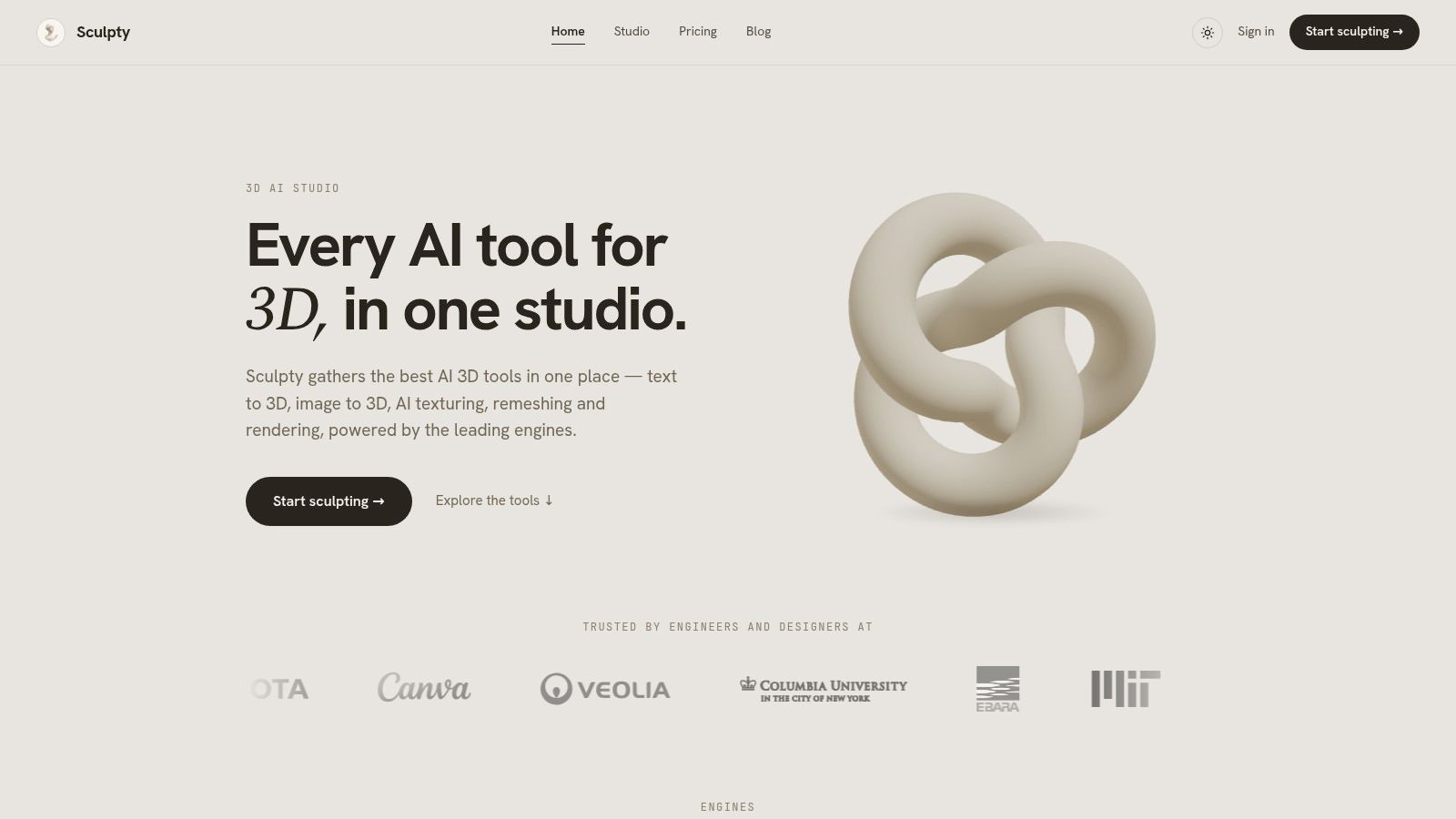
Sculpty is the strongest choice when you want to create a usable 3D asset without modeling every polygon by hand. It runs in the browser and brings several text-to-3D and image-to-3D engines into one studio, including Meshy, Hunyuan 3D, Rodin, Tripo AI, and TRELLIS 2. Instead of opening separate accounts and learning different interfaces, you choose an engine for the job and keep the prompt, gallery, credits, and export process in one place.
You can start with a written description, a single photograph, or multiple views. Sculpty's image workflows can turn a single photo into a watertight mesh, while multi-view reconstruction can use several angles when a more faithful result matters. The platform also supports prompt-driven PBR texturing with 4K maps, so generation doesn't have to stop at an untextured mesh.
Generation is only the first step
AI-generated geometry often needs preparation before it belongs in a game, a product presentation, or a 3D printer workflow. Sculpty addresses that handoff with one-click remeshing and retopology, tools for creating cleaner quads or game-ready triangles, and built-in 4K scene staging and rendering. You can also create 360-degree transparent-background animations for previews, client reviews, or product pages.
Exports include GLB, STL, OBJ, FBX, USDZ, and 3MF, which covers common routes into Blender, Unity, web viewers, and slicers. A private gallery stores assets and includes a web 3D viewer. Free web viewers and format converters add practical value when you need to inspect or convert files without installing another application.
Where Sculpty fits best
Choose Sculpty for game prototypes, product visualization, maker projects, concept development, and client work where speed from idea to deliverable matters.
- Best modeling method: Text-to-3D, image-to-3D, multi-view reconstruction, and AI-assisted cleanup.
- Platform: Browser-based, with JavaScript and an internet connection required.
- Pricing model: Unified credits with monthly or annual plans. Public site content doesn't list per-job pricing, and paid plans include commercial usage rights.
- Main trade-off: Results vary by selected third-party engine, and the hosted workflow depends on reliable internet access.
Practical rule: Use Sculpty when the hard part is getting from a reference or idea to a presentable, exportable asset. Use a manual modeler when exact dimensions or detailed vertex control are the priority.
2. Tinkercad
Tinkercad is the clearest answer for absolute beginners who want to make simple printable parts. It's a free, browser-based solid modeler built around primitive shapes, drag-and-drop placement, grouping, and subtraction. You don't need to install a desktop application or understand polygon topology before producing a basic object.
The workflow feels closer to assembling digital building blocks than sculpting a mesh. You can place boxes, cylinders, spheres, text, and other primitives, then combine them into a keychain, spacer, holder, sign, or simple mechanical component. Built-in lessons and starter projects help new users learn the interface through short, practical exercises rather than a large blank workspace.
Tinkercad also keeps the export path straightforward. It supports STL and OBJ export for common 3D-printing workflows, with GLTF and USDZ available on supported devices. If your goal is to design a small object and move it into a slicer, Tinkercad minimizes unnecessary setup.
The limitation is geometric ambition
Tinkercad isn't the right tool for characters, flowing surfaces, detailed creatures, or production assets that need UVs and materials. Its shape-based method makes basic solids approachable, but it becomes restrictive when you need advanced surfacing, parametric design, or fine control over complex forms. Large meshes can also become less comfortable in a browser workflow.
For a first printable object, that simplicity is an advantage. Read this practical guide on creating 3D printer files with Tinkercad if you're starting from a model idea and need a clearer route to a print-ready file.
- Choose Tinkercad for: Classroom projects, basic printables, simple mechanical parts, and quick prototypes.
- Avoid it for: Organic characters, advanced hard-surface assets, and texture-heavy game production.
- Pricing: Free.
- Best platform fit: Any device with a compatible web browser.
3. SketchUp
SketchUp is the easiest traditional choice for architecture, interiors, and spatial design. Its push-pull modeling method lets you draw a face, pull it into a volume, and reshape the result directly. That direct interaction helps beginners understand how plans, walls, openings, furniture, and room layouts relate in three dimensions.
SketchUp for Web runs in the browser, so setup friction is low. The free version supports SKP, PNG, and STL export, which makes it suitable for basic spatial studies and some 3D-printing projects. Its large 3D Warehouse ecosystem also gives beginners access to ready-made models for filling scenes with furniture, fixtures, landscaping, and other common objects.
The tool's simplicity comes from its focus. You're not opening a full digital content creation suite with sculpting, animation, and complex material systems. You're drawing and editing space quickly.
Free access has a defined ceiling
Paid Go and Pro tiers add broader export options and cloud features, including formats such as DWG, DXF, FBX, and OBJ. If you need professional CAD coordination, detailed documentation, or a highly controlled parametric workflow, SketchUp may need to work alongside other tools rather than replace them.
Its geometry is also not automatically ideal for every downstream pipeline. Simple shape-based modelers can produce useful forms quickly, but they don't create the same kind of clean, fully texturable geometry expected in advanced game or film workflows. Use this guide to understand common 3D file formats before choosing an export option.
- Choose SketchUp for: Rooms, buildings, interiors, furniture layouts, and architectural concepts.
- Strongest advantage: Fast direct modeling with a large asset library.
- Pricing: Free browser access, with paid tiers for expanded exports and features.
- Main trade-off: Precision CAD and organic modeling require another approach.
4. Shapr3D
Shapr3D is the best beginner-friendly option for precise mechanical solids and product concepts. It uses direct modeling rather than forcing new users through the dense menus and history trees common in traditional CAD applications. On iPad, Apple Pencil interaction makes sketching, selecting, pushing, and editing feel immediate.
The software also runs on macOS and Windows, with cloud synchronization across supported workflows. Its core modeling tools are available through a freemium model, while paid plans provide advanced outputs and professional capabilities. That structure lets you test whether touch-first CAD matches the way you think before committing to a broader workflow.
Shapr3D produces precise solids suited to manufacturing and 3D printing. That makes it a better choice than a general polygon modeler when dimensions, clean edges, holes, enclosures, brackets, and product proportions matter more than organic surface detail.
Touch-first CAD still has boundaries
Shapr3D isn't a sculpting application. It's not designed for pushing clay-like surfaces into characters, toys, creatures, or expressive concept forms. You'll also need a paid plan for some advanced exports and professional workflows.
The best use case is a designer who wants to sketch a product idea on a tablet, revise dimensions quickly, and hand off a solid model for manufacturing or printing. For a broader overview of product 3D modeling workflows, consider where Shapr3D ends and visualization or AI tools begin.
- Best modeling method: Direct solid modeling with sketches and precise edits.
- Best devices: iPad with Apple Pencil, Mac, and Windows.
- Choose it for: Mechanical parts, product enclosures, fittings, and manufactured objects.
- Don't choose it for: Organic sculpting, character work, or film-style mesh production.
5. Nomad Sculpt
Nomad Sculpt is the most approachable option here for tablet-based organic modeling. Instead of assembling precise solids, you work with brushes that push, pull, smooth, crease, inflate, and reshape a digital surface. That makes the software a natural fit for characters, toys, creatures, figurines, and concept art.
The app is available on iOS and Android, with a lightweight desktop option. Its viewport includes PBR rendering, so you can inspect forms with more convincing materials and lighting while you work. Dynamic topology, remeshing, retopology, and exports to OBJ, FBX, and GLTF give the workflow more room than a basic sculpting sketchpad.
Nomad's mobile purchase model is another reason beginners choose it. Core features on mobile use a one-time purchase approach rather than requiring a subscription. That lowers the commitment for someone who wants to explore digital sculpting on a tablet with a stylus.
Organic freedom instead of engineering precision
Nomad Sculpt rewards visual judgment. You can block out a head, build a toy creature, smooth a rough silhouette, and add surface detail without learning traditional polygon modeling first. The trade-off is that the tool isn't parametric CAD, so it's a poor fit for exact mechanical parts or manufacturing-driven designs.
Some advanced functions and remeshing options can depend on the platform. Exporting to another application may also be necessary when you need advanced UV work, animation, or a larger production pipeline.
- Choose Nomad Sculpt for: Characters, figurines, toys, collectibles, and stylized organic forms.
- Pricing model: One-time purchase on mobile for core features, with an affordable desktop license option.
- Best input: Touch and stylus.
- Main limitation: Sculpted forms require additional cleanup when they need efficient animation or game topology.
6. Gravity Sketch
Gravity Sketch takes a different route to beginner-friendly 3D. You sketch, block out volumes, and build surfaces in virtual space, often at full scale. For people who think through gesture, proportion, and physical form rather than technical coordinates, that spatial workflow can feel more natural than a conventional desktop viewport.
The tool supports VR and screen-based workflows, with reference imports and standard 3D exports. Its strongest use cases include footwear, automotive design, product concepts, and collaborative form-finding. You can evaluate scale and proportion by moving around an object instead of judging everything from a fixed camera.
Gravity Sketch includes a free tier, while a paid Plus plan adds cloud storage and collaboration features. The value isn't only in the mesh. It's in the ability to communicate a form quickly with teammates, clients, or design partners.
Great for ideas, not final engineering
Gravity Sketch is easy when the objective is to find a shape. It's less suitable when the objective is a precise, manufacturable CAD solid. Advanced NURBS and CAD-level control typically belong in downstream tools, where the concept can be rebuilt or refined for production.
You'll also need compatible VR hardware to experience the software's main advantage fully. Screen access helps, but it doesn't deliver the same sense of drawing around a form at scale.
- Choose Gravity Sketch for: Immersive ideation, product concepts, footwear, automotive forms, and collaborative reviews.
- Best modeling method: Spatial sketching, volume blockout, and surface creation.
- Pricing: Free tier with a paid Plus plan for expanded cloud and collaboration features.
- Main trade-off: Excellent for form-finding, limited for precision CAD completion.
7. Vectary
Vectary is the best choice for beginners who need to publish interactive 3D content on the web. Its browser-based studio combines design tools with animations, interactions, UI building, sharing, embedding, and AR previews. A graphic or UI designer can move into 3D without first installing a traditional desktop DCC application.
The workflow is built around presentation as much as modeling. You can create a product scene, add interactive behavior, prepare an embed, and share a web-ready preview. Collaboration features and CAD-to-web optimization make it useful for agencies, product teams, and designers who need clients or customers to inspect an asset online.
Vectary also includes AI features such as generating 3D from an image and other GenAI tooling. These features can speed up asset creation, though some AI tools use credits tied to plan allowances. That makes Vectary attractive when the final destination is a webpage, an AR preview, or an interactive product presentation rather than a film-grade asset pipeline.
Choose delivery over deep modeling
Vectary isn't intended to replace a heavy modeling and FX suite. Complex sculpting, advanced simulation, and film-grade production remain outside its central scope. Its strength is the short path from a designed object to a shareable web experience.
- Choose Vectary for: Web embeds, interactive products, AR previews, and collaborative design reviews.
- Best modeling method: Browser-based design with AI assistance and web-focused scene tools.
- Platform: Fully in-browser.
- Main trade-off: Some AI functionality uses plan-based credits, and advanced production modeling requires another application.
Top 7 Easiest 3D Modeling Tools Comparison
| Tool | Implementation Complexity 🔄 | Resource Requirements ⚡ | Expected Outcomes ⭐📊 | Ideal Use Cases | Key Advantages 💡 |
|---|---|---|---|---|---|
| Sculpty | Medium, unified UI over multiple engines (pipeline steps included) 🔄 | Browser + stable internet; subscription/credits; hosted compute ⚡ | ⭐ High-quality, production-ready 3D (4K PBR, remesh, game/print exports) 📊 | 3D artists, game devs, product visualization, multi-engine selection | Consolidates top engines; full production pipeline; wide export & commercial rights |
| Tinkercad (Autodesk) | Very low, primitive drag & drop, beginner workflow 🔄 | Browser-only; minimal hardware; free ⚡ | ⭐ Clean solid models for 3D printing (STL/OBJ); quick results 📊 | Education, beginners, rapid 3D-print prep, makers | Extremely easy; interactive lessons; free-to-start |
| SketchUp (Web/Free/Go) | Low, intuitive push/pull modeling; simple UI 🔄 | Browser; paid tiers for advanced exports/storage ⚡ | ⭐ Strong hard-surface/architectural models; basic STL export 📊 | Architecture, interiors, quick hard-surface projects | Easy entry for architecture; large 3D Warehouse asset library |
| Shapr3D | Medium, CAD-centric but touch/pen optimized 🔄 | iPad with Apple Pencil recommended; macOS/Windows; freemium ⚡ | ⭐ Precise, manufacture-ready solids and CAD exports 📊 | Mechanical parts, product concepts, tablet-first CAD workflows | Fast precision modeling; pen-first interaction; cross-platform sync |
| Nomad Sculpt | Low, intuitive sculpting brushes and dynamic topology 🔄 | Mobile/tablet (iOS/Android) or lightweight desktop; one-time mobile purchase ⚡ | ⭐ Organic sculpts with PBR viewport; good for characters/toys 📊 | Tablet sculpting, concept art, character/toy design | Affordable one-time purchase; approachable sculpting toolset |
| Gravity Sketch | Medium, spatial VR workflows; learning curve for VR setup 🔄 | VR headset for full benefits (or desktop mode); cloud/collab options ⚡ | ⭐ Rapid form-finding and full-scale concept models; collaborative impact 📊 | Ideation, footwear/automotive/product concepts, collaborative reviews | Natural spatial sketching; strong scale/proportion and collaboration features |
| Vectary | Low, browser studio with node-like/GUI tools 🔄 | Browser and cloud; some AI features use plan credits ⚡ | ⭐ Interactive web/AR-ready scenes and embeds; quick prototyping 📊 | Web/AR previews, embeddable product scenes, designers moving into 3D | No installs; easy web/AR delivery; collaborative and API-enabled |
Choose by Workflow, Not Feature Count
The easiest 3D modeling software depends on the first useful result you need. Choose Tinkercad for the shortest route from primitive shapes to basic printable parts. Choose SketchUp for approachable architectural and interior forms. Choose Shapr3D for precise, touch-first solids. Choose Nomad Sculpt for tablet-based organic modeling. Choose Gravity Sketch for immersive form-finding. Choose Vectary for collaborative web and AR delivery.
Choose Sculpty when you want AI generation, reconstruction, cleanup, texturing, rendering, and multiple export formats in one browser workflow. It's especially useful when you have a concept image or written description but don't want to build the first mesh manually. It also gives experienced users a way to test several generation engines without managing separate accounts and credit systems.
A practical Sculpty workflow can start with a text prompt, a single image, or multiple reference views. You select the engine that fits the job, generate the mesh, apply prompt-driven PBR materials, and use remeshing or retopology to prepare the geometry. From there, you can stage a 4K render, create a 360-degree transparent-background animation, and export the asset to a downstream tool, game engine, web viewer, or 3D printer.
Use a feature comparison matrix if you're evaluating several tools with a team. Before you decide, check:
- Model type: Are you making a printable part, an architectural scene, an organic character, a VR concept, or a web asset?
- Modeling method: Do you prefer primitives, direct solids, sculpting, spatial sketching, manual mesh editing, or AI generation?
- Device requirements: Do you need browser access, an iPad and stylus, VR hardware, Windows, or a desktop workstation?
- Pricing model: Is free access, a one-time purchase, a freemium plan, or credits and subscriptions the best fit?
- Export format: Do you need STL, OBJ, GLB, FBX, USDZ, 3MF, or another format for your next application?
- Topology needs: Does the model need to be watertight for printing, precise for manufacturing, or clean and efficient for games?
- Control level: Do you want to shape every surface manually, or do you want AI to accelerate the first draft and preparation stages?
The right choice should make your next project easier, not give you the longest feature list.
Sculpty is a strong fit if you want to move quickly from an idea, photograph, or reference set to an exportable 3D asset, with generation, texturing, cleanup, rendering, and format conversion handled in one browser studio. Visit Sculpty to explore an AI-assisted workflow that matches the practical needs behind choosing the easiest 3D modeling software.