
3D Model Maker AI Compared: Engines, Quality and Export
In 2023, 76% of surveyed respondents reported printing more than 10 parts in a production run, up from 49% in 2021, according to Protolabs' 2024 3D Printing Trend Report reporting. That shift matters for anyone choosing a 3D model maker AI today. You're not just generating an interesting shape for a screenshot. You're feeding games, product reviews, client presentations, and physical production runs.
That's why the usual comparison fails. A sharp turntable tells you almost nothing about the back of the mesh, its polygon count, its UV islands, or whether you can sell the result. A weaker looking model with clean topology and predictable scale often beats a detailed model that collapses during rigging, slicing, or import.
Judge engines in the order production teams feel pain. First, pick the input mode that constrains the result enough for your job. Then score visual quality, check benchmark claims within their limits, run a measurable acceptance gate, and record the rights position before the asset reaches a client.
Table of Contents
- Three Input Modes and What Each Delivers
- Judging Output Beyond a Good-Looking Render
- Engine Benchmarks and Where They Stop
- Reading Image-to-3D Accuracy Metrics
- Acceptance Checklist Before Import
- Rights and Provenance for Client Work
- Workflows Matched to Games, Products and Prints
- Confirm Your Engine With a Test Batch
Three Input Modes and What Each Delivers
You can drive a 3D model maker AI with a text prompt, a single image, or several photos from different angles, and each choice leaves a different amount of geometry to guesswork. Text describes intent well. It doesn't reliably fix proportions, hidden surfaces, wall thickness, or real world scale. One image pins down the visible face, while consistent multi-view photos constrain the object from several sides.
The move toward multiple inputs follows the data behind these systems. The ACM survey of AI based 3D modeling milestones traces research datasets from ModelNet, with approximately 127,000 3D models across 662 object categories in 2014, and ShapeNetCore, with about 51,000 models across 55 categories in 2015, to Objaverse, with roughly 800,000 objects in 2022, and Objaverse-XL, with approximately 10.2 million objects in 2023. Broader collections gave text-to-3D and image-to-3D systems a wider object vocabulary. Text supplies semantic intent. Images and multi-view references supply visual and geometric constraints that text alone often lacks.
Input Modes and What They Are Best For
| Input mode | Best for | Typical strength | Main risk |
|---|---|---|---|
| Text-to-3D | Concept exploration, stylized props and fast drafts | Quick variety from one prompt | Back side and small parts are guessed; prompt ambiguity |
| Image-to-3D | Matching concept art or a single product photo | Strong match to the visible side from one reference | Hidden sides are inferred; scale is not known from one view |
| Multi-view-to-3D | Faithful copies of physical objects photographed from several angles | Most constrained geometry when views are consistent | Requires clean, consistent photos and capture effort |
Say you need ten stylized treasure chests for a game jam. Text gives you fast variety, and minor differences in handles or hinges don't matter. Say you need a replacement knob that must match a physical part. A prompt can't establish the rear profile or mounting surface, so photos from the front, sides, back, and underside give the engine far less room to invent.
Capture quality decides whether multi-view input helps or hurts. Keep distance, lighting, and orientation consistent, remove clutter, and include the underside if it'll be seen or printed. A guide to multi-view 3D reconstruction inputs and capture consistency is useful when your source object exists and accuracy matters more than speed.
Rule of thumb: Start from text for concept exploration and stylized props. Switch to image or multi-view input when the asset must match a real reference object, such as a product photo or a physical part.
Judging Output Beyond a Good-Looking Render
A polished front view can hide an incomplete back, fused parts, floating components, and textures that drift as the model turns. Score prompt alignment, geometry, texture fidelity, and multi-view consistency as separate axes, because an engine can win on surface detail while dropping attributes you asked for.
Formal evaluation works the same way. The GT23D-Bench and T3Bench evaluation framework describes a 10-metric evaluation suite covering text and 3D alignment, texture-boundary sharpness, geometric plausibility, and multi-view consistency. T3Bench measures text alignment through multi-view captioning and GPT-4 assessment, and its human annotators inspect meshes interactively, scoring 3D quality and alignment on a 1 to 5 scale.
A Scorecard You Can Reuse
- Requested attributes: List every attribute in the prompt or brief, then mark each one present, wrong, or absent.
- Completeness: Turn the model over and inspect the back, base, joints, and any thin or repeated parts.
- Structural defects: Flag floating pieces, fused fingers or handles, collapsed holes, and duplicated features.
- Texture continuity: Check seams and surface markings at four turntable angles rather than the hero view alone.
- View consistency: Confirm that patterns, colors, and protrusions stay in the same place as the model rotates.
Run the same prompt through every candidate engine. Different prompts reward different weaknesses and make the comparison meaningless.
If one model misses a requested strap and another has slightly softer textures, the second is often the better production asset. Texture repair is usually cheaper than rebuilding missing geometry, so weigh defects by their fix cost rather than their visibility in the preview.
Topology belongs in the same review even though it stays invisible in a beauty render. A practical primer on 3D modeling topology for editable meshes helps you spot dense, tangled areas before retopology becomes a rescue job. Adjacent disciplines enforce the same acceptance-first logic. In building information modeling, IFC deliverables and handover requirements define what a model must contain before it passes to the next team.
Set the gate high. The output passes when all requested attributes are present, the model stays coherent from multiple angles, and no obvious structural defects remain. Anything less is a draft, however attractive the first render looks.
Engine Benchmarks and Where They Stop
| Engine | Track | Reported Elo | How to read it |
|---|---|---|---|
| MVDream | Text-to-3D | 1,177.66 | Highest text-to-3D score among the cited leaders |
| LucidDreamer | Text-to-3D | 1,112.21 | Mid-level text-to-3D preference score |
| Magic3D | Text-to-3D | 1,088.93 | Lowest of the three leading text-to-3D scores cited |
| Wonder3D | Image-to-3D | 1,304.05 | Highest image-to-3D score cited |
| OpenLRM | Image-to-3D | 1,279.67 | Second in the image-to-3D track |
| Stable Zero123 | Image-to-3D | 1,200.69 | Third in the image-to-3D track |
| Meshy | Text and image routes | No score in cited leaders | Not among cited top scores; test on your prompts |
| Hunyuan 3D | Text and image routes | No score in cited leaders | Not among cited top scores; test on your prompts |
| Rodin | Text and image routes | No score in cited leaders | Not among cited top scores; test on your prompts |
| Tripo AI | Text and image routes | No score in cited leaders | Not among cited top scores; test on your prompts |
| TRELLIS 2 | Text and image routes | No score in cited leaders | Not among cited top scores; test on your prompts |
These numbers come with a track rule. The 3DGen-Bench comparison of text-to-3D and image-to-3D models covered 9 text-to-3D models and 13 image-to-3D models, and its leading text-to-3D systems achieved average Elo scores of 1,177.66 for MVDream, 1,112.21 for LucidDreamer, and 1,088.93 for Magic3D. In the image-to-3D track, Wonder3D scored 1,304.05, followed by OpenLRM at 1,279.67 and Stable Zero123 at 1,200.69.
Don't read those values as percentages, and don't compare Wonder3D directly with MVDream as if they'd solved the same task. They're benchmark-specific comparative scores inside separate tracks. An image gives the model visible geometry to follow. A text prompt asks it to invent the object and satisfy language at the same time.
What the Table Cannot Tell You
- Speed and queue time: A slower engine may still be uneconomical for high volume draft work.
- Topology: Preference scores don't reveal whether edge flow supports deformation or clean editing.
- Polygon behavior: You still need triangle counts and remesh quality for real-time targets.
- UVs and materials: Seams, overlaps, texel density, and missing PBR channels sit outside the Elo result.
- Export behavior: Scale, axis orientation, file structure, and material naming only appear when you import the asset.
The five routed engines in the table, Meshy, Hunyuan 3D, Rodin, Tripo AI, and TRELLIS 2, aren't among the cited top benchmark results. That doesn't make them worse. It means this benchmark doesn't settle the choice for your asset class, prompt style, texture needs, or export target.
The same prompt can rank engines differently once you score hidden geometry, cleanup time, and import behavior, so run your own prompt set before you standardize.
A hosted studio with one interface and one credit system changes the economics of that test. You can send identical inputs to several engines, inspect the outputs side by side, and export through one pipeline without opening separate accounts for every candidate. The benchmark gives you a starting hypothesis. Your own test gives you an operating decision.
Reading Image-to-3D Accuracy Metrics
For single image reconstruction, report Chamfer Distance and F-Score@0.01 together. The single-image reconstruction metrics guidance defines Chamfer Distance as the nearest-neighbor discrepancy between predicted and ground-truth point sets, while F-Score@0.01 counts points as accurate when the nearest ground-truth point lies within a 0.01-unit threshold.
A lower Chamfer Distance generally means closer geometric placement. A higher F-Score means more predicted geometry falls within tolerance. You need both because Chamfer Distance can be disproportionately affected by outliers. A few stray points can make a mostly faithful model look worse, while the F-Score shows how much of the surface lands inside the agreed threshold.
Neither number proves production readiness. They measure geometric proximity, not watertightness, printability, clean topology, or animation behavior. A model can sit close to the reference surface and still contain holes, self-intersections, loose components, or an unusable polygon distribution.
Compare engines only under a locked protocol. Use identical input images, scale conventions, sampling density, and evaluation thresholds. If one result has lower Chamfer Distance and higher F-Score on the same images, you've found better reconstruction fidelity. You haven't yet found the better asset. That decision needs the operational checks that follow.
Acceptance Checklist Before Import
Generation isn't the bottleneck teams complain about most. Cleanup is. The Perforce survey of game development trends reports that in a 2025 survey of 520+ game-industry professionals, 70% were using generative AI, yet respondents identified the gap between AI output and production-ready assets as a major adoption barrier because models and materials still require manual cleanup.
Pre-Import Checks for Generated 3D Assets
| Check | Pass condition | Why it matters |
|---|---|---|
| Watertight and manifold | No holes and no non-manifold edges | Required for 3D printing and clean booleans |
| Polygon or triangle budget | Within the limit set by the target engine or platform | Frame rate and import performance |
| UV layout and seams | Non-overlapping islands with seams placed away from view | Texture quality and baking results |
| Texel density | Consistent across parts of the same asset | Even texture sharpness |
| Normal orientation | All faces point outward | Correct shading and printing |
| Material channels | Base color, roughness, metallic and normal maps all present | Complete PBR setup in the engine |
| Rig and deformation | Joints bend without pinching (characters only) | Animation readiness |
| Collision mesh | Simplified collision hull exists or is generated | Physics without per-triangle cost |
| Scale and units | Matches the target unit system at 1:1 | Avoids resizing errors on import |
Run the checks in dependency order. Scale first, because every later measurement inherits the error. Then inspect topology and manifold status, then UVs and texel density, then materials. Finish with an import test in the actual target, whether that's Unreal, Unity, Blender, or a slicer. Passing in a viewer isn't the same as passing in the tool that must ship or print the asset.
Set thresholds by asset class. A character needs deformation tests at shoulders, elbows, hips, and knees. A hard-surface prop needs crisp edges without warped panels. An organic object can tolerate less mechanical precision but shows pinching and texture stretching quickly. A mechanical part needs scale, holes, and mating surfaces verified before surface detail matters.
Contrarian rule: Best-looking is not the same as best asset. A lower-detail model with clean topology, consistent scale, and predictable UVs may outperform a visually richer but technically fragile mesh.
Match the export to the destination after the checks pass. Use STL or 3MF for printing, GLB or FBX for game and real-time engines, OBJ for broad interchange, and USDZ for AR viewers. A reference on 3D file formats and downstream compatibility helps when one asset must move between a DCC tool, an engine, and a client viewer.
Record the result of each check, not just the repaired file. When an engine repeatedly fails the same gate on the same asset class, you've found a routing rule. Send that class elsewhere instead of paying cleanup time on every generation.
Rights and Provenance for Client Work
A mesh can pass every technical gate and still be undeliverable. Two generated models with identical topology scores can carry opposite risk profiles: one built from a licensed reference under a commercial plan, one from an unchecked image under terms nobody read. A downloadable file isn't proof that you can sell it, ship it in a game, or hand it to a client without exposure.
The uncertainty is measurable. A Google report on AI in the games industry cites a 2025 Harris Poll survey of 615 game developers in which 32% said licensing for AI-generated content was unclear and another 32% said ownership was unclear. When roughly a third of professional developers can't say who owns generated output, a studio quoting fixed-price delivery is pricing work whose legal status it hasn't confirmed.
Separate the questions before you quote or deliver work.
- Copyright ownership: who, if anyone, holds rights in the output under the relevant jurisdiction and level of human modification.
- Contract permission: what commercial use your current plan or vendor agreement grants.
- Trademark and likeness: whether the prompt or reference invoked a brand, character, product design, or identifiable person.
- Reference rights: whether you hold permission to use the source image, sketch, scan, or client material.
- Confidentiality: whether the input exposed unreleased client designs or private data to a third-party service.
Each answer changes the price of the job. A generation that needs its reference rights re-cleared, or its plan upgraded before commercial use, costs more than the credits that produced it.
Keep One Provenance Record per Asset
- Input: prompt text or source image, plus where the reference came from.
- Generation: date, engine, and version where available.
- Edits: retopology, sculpting, texture repainting, rigging, and other human changes.
- Outputs: exported filenames, formats, and delivery destinations.
- Terms: the plan and vendor terms in force when the asset was generated.
This chain of inputs and transformations mirrors data provenance for physical AI, where traceability supports later audits. For client 3D work, the record won't create rights you don't have. It will let you answer questions quickly and isolate affected assets if terms or claims change.
Apply the checks by role. Game studios confirm licensing and store rules first. Agencies reconcile vendor terms against client ownership and disclosure clauses. Freelancers verify the plan they accepted. Print sellers screen trademark and likeness before listing. Commercially usable under a plan is not automatically risk-free, and the cheapest asset is the one whose rights you cleared once.
Workflows Matched to Games, Products and Prints
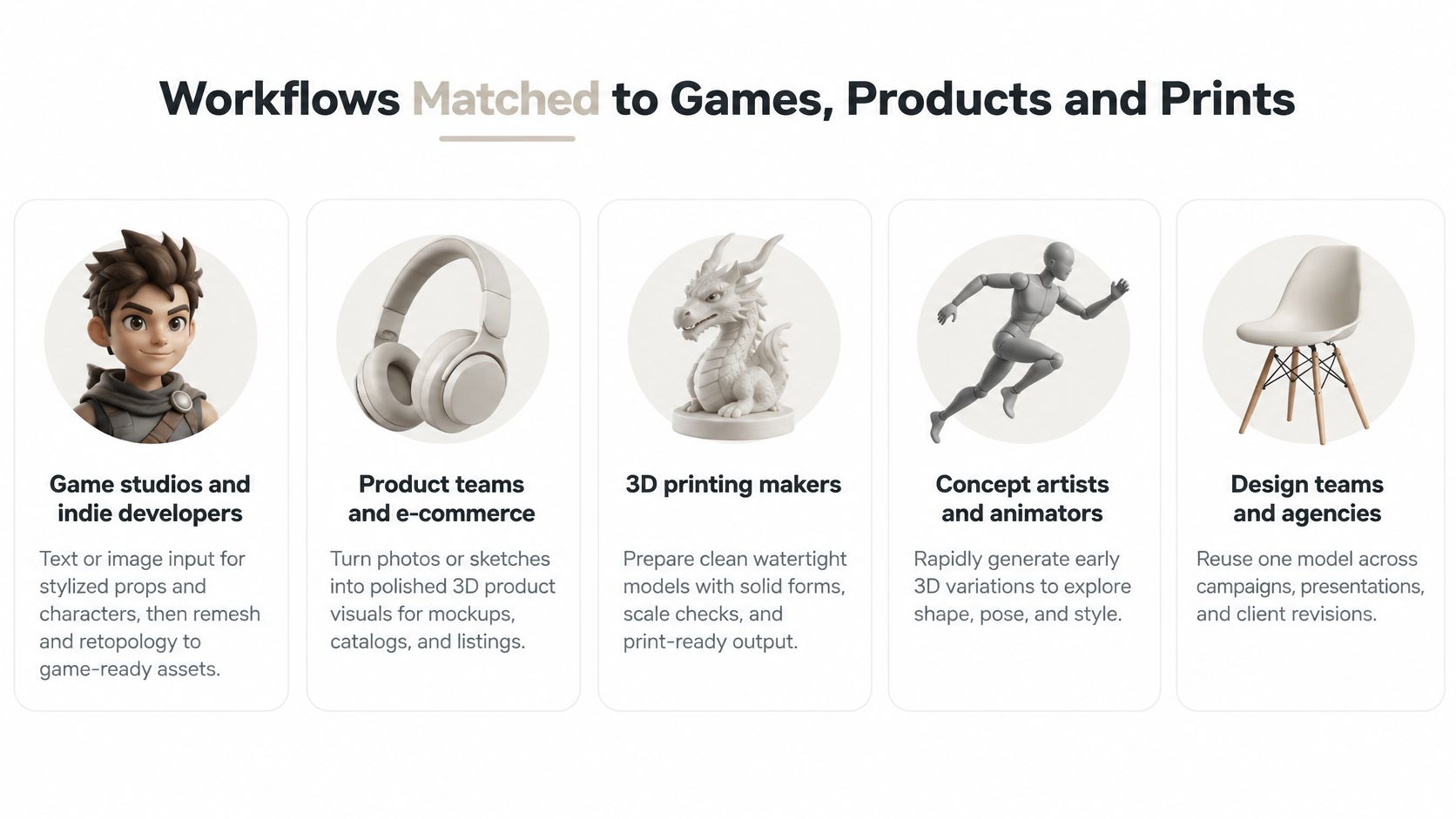
Game studios and indie developers should generate stylized props and characters from text or image input, then remesh and retopologize to game-ready triangles. Run the target engine import early, before texture polish. A prop that misses the triangle budget or arrives at the wrong scale isn't nearly finished, whatever the viewer suggests.
Product designers and visualization specialists should start from a real product photo when shape recognition matters. Confirm scale, silhouette, and material channels before producing review renders. Pretty lighting can hide a warped edge for one meeting, then create expensive revisions when the model is reused in AR, animation, or manufacturing discussions.
3D-print makers should use multi-view capture for physical originals and check watertightness first. Export to STL or 3MF only after holes, normals, wall continuity, and scale pass in the slicer. For outdoor scenes and adjacent visualization work, teams may also find landscape visualizers and CAD suites useful when generated objects need to sit inside a planned environment.
Creative agencies and freelancers should create the provenance record at first generation, not at delivery. Set one default engine per asset class so revisions follow a known repair path. That consistency matters when a client asks for the same object at a new angle, in a new finish, or under a different usage license.
Character work needs image or multi-view input and a rig test before other polish. Bend the joints, turn the head, and inspect hands and facial landmarks from the side. If deformation fails, texture quality won't rescue the asset. Confirm each routing choice with a small test batch before it becomes your studio default.
Confirm Your Engine With a Test Batch
Don't choose a default engine from a demo gallery. Build a small, repeatable test that mirrors the work you'll ship.
- Pick representative inputs: Choose three to five prompts or photos per asset class, including one hard case with a thin part, repeated detail, or hidden back.
- Run identical jobs: Send the same input to two or three candidate engines with the closest equivalent settings you can set.
- Score the visible result: Mark missing attributes, back-side defects, fused parts, and seam artifacts before you look at file statistics.
- Test the survivors: Put the best two or three outputs through scale, topology, UV, material, and target import checks.
- Create provenance entries: Save the input, engine, version, date, edits, exports, and terms for every asset you keep.
- Set defaults by class: Name one default engine for characters, props, products, or printables, and keep the runner-up as a documented fallback.
Score cleanup time as part of quality. An engine that produces a slightly plainer mesh but saves an hour of retopology may be cheaper per approved asset than a more detailed engine with recurring defects. Repeat the test when an engine version changes or you enter a new asset class.
Sculpty lets you run that comparison from one web interface and one credit balance, routing the same prompt or image to engines such as Meshy, Hunyuan 3D, Rodin, Tripo AI, and TRELLIS 2. You spend the test period judging outputs, not setting up separate accounts and export paths.
Ready to compare engines on your own prompts instead of demo turntables? Use Sculpty to generate from text, a single image, or multiple views, then remesh, texture, render, and export the surviving asset in formats including GLB, FBX, OBJ, STL, 3MF, and USDZ. Start with one hard asset from your current project and let the scorecard, import test, and provenance record decide which engine earns your default slot.